
How to Get Live Translated Subtitles for YouTube on Mac
YouTube has no CC track or Auto-translate option on your Mac? Check the video’s native choices, then test personal translated captions from accessible playback audio.
2026-08-10 · 9 min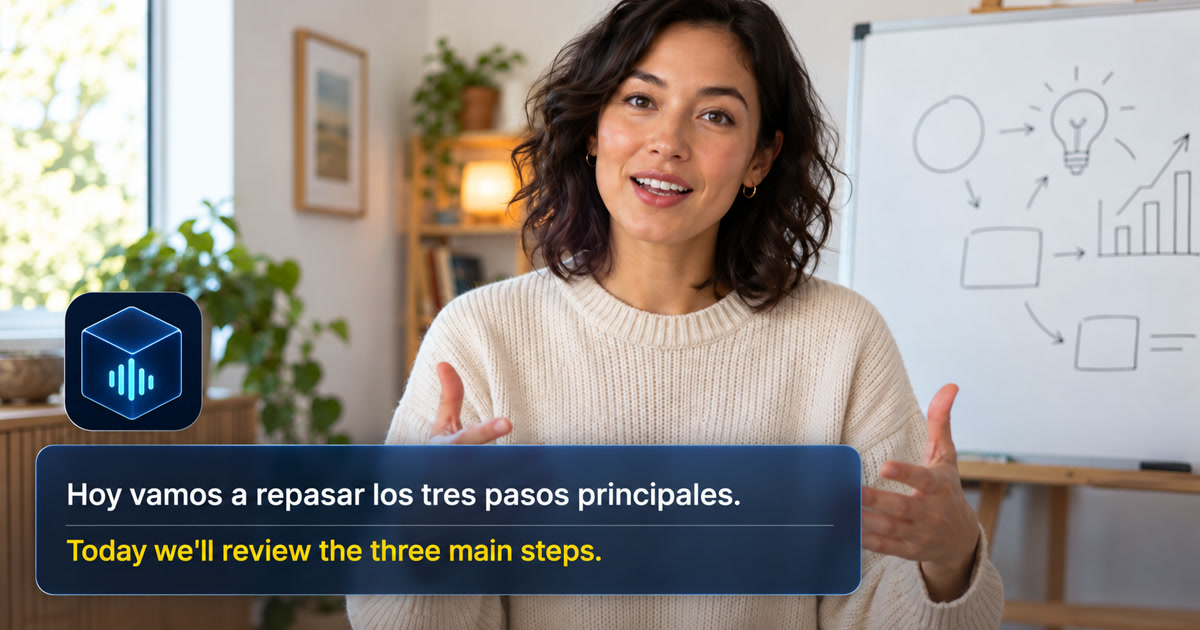
The short answer: check what is missing
If a YouTube video has usable subtitles in your language, start with those. If CC or a translation option is missing, check the specific video and its caption menu before changing your Mac settings. A translated title, a different website language, or an extra audio track does not establish that translated captions are available.
When native options do not meet the need, Alison Workspace can be tested as a personal source-and-translation window for accessible audio playing on a compatible Mac. It recognizes the speech rather than translating a missing YouTube subtitle track. It does not add official captions to the video, unlock content, or generate a dubbed soundtrack.
Follow the branch that matches your player
- No CC button or no caption track — What to do next: Check for another creator-provided version or text resource. A viewer cannot force the creator’s caption track to exist.
- Captions exist, but your language is missing — What to do next: Inspect the current subtitle menu and any Auto-translate option it offers. Availability is video-dependent.
- You selected a translation, but it does not display — What to do next: Select the original track and verify that it displays. Reload the same video and compare another captioned video to narrow the problem before changing unrelated settings.
- The video is live — What to do next: Check that stream’s actual captions. Live automatic-caption availability differs from uploaded videos.
YouTube documents CC controls for videos with captions. Its automatic-caption guidance also explains that processing and audio conditions can affect availability. A missing menu alone does not prove a universal YouTube outage or a problem with your Mac.
Captions change the text you read. An Audio track option, when available, changes the sound you hear. Choose the output you need; changing the site’s interface language is a separate action.
Decide what “real time” means for you
You may need a translation that appears during playback, a second audio track you can listen to, or a subtitle file you can edit later. YouTube's available captions and audio tracks solve the first two only when that video offers them. A separate live overlay can help you read speech while watching, but it does not change the video's official captions or create a reviewed transcript. Choosing the outcome first avoids spending time in the wrong settings menu.
Set up a personal live translation when captions are missing
Play the video on the Mac you will use for reading. In Alison Workspace, choose the spoken language as the recognition source and your reading language as the translation target. Check that the necessary local model and Apple translation language resource are installed. The current app requires macOS 15 or later and an Apple-silicon Mac (M1 or newer). It reads audio from a Mac-accessible playback route and places original and translated text in a separate view. It does not log in to your YouTube account, modify the video, or create a dubbed audio track.
Run a one-minute test before watching a long lesson. Pick a segment with continuous, clear speech. If the original line is wrong, verify the source language and audio route before judging the translation. If the original is right but translation is absent, inspect the target language and installed resources. Keep the original line visible for technical words, people, places, and numbers.
Keep a learning video understandable
For a course or tutorial, pause after a key instruction and compare the recognized phrase with the demonstration on screen. Rewind dates, formulas, product names, and unfamiliar terms. When the video's own captions are good, they are a useful cross-check. Live translation helps you follow the sequence of a lesson, while the original audio remains the source for precise claims.
Treat live streams differently
For a live stream, the creator's caption setup matters. YouTube's own guidance says automatic captions on live streams have narrower availability than captions on uploaded videos and can fail under particular latency or audio conditions. Check the stream's actual CC menu rather than assuming that captions available on an uploaded video will appear live. A personal Mac overlay may help when the live stream's audio is accessible, but interruptions, music, and multiple voices can make the output less reliable.
Protect the video and your viewing context
A personal caption overlay is for your own comprehension. Do not present its output as the creator's approved subtitles or republish a transcript without the necessary rights. If you are watching confidential training or an internal stream, check the applicable policy before retaining translated text. Alison Workspace's documented current workflow keeps text history locally until the user deletes it and does not save raw audio or screen frames.
Test the browser and audio output you will use
Play a clear clip in your usual browser with your usual speakers or headphones. Once the setup works, test the actual video. A blank overlay can indicate a permission or playback-route problem rather than a YouTube-language problem. Protected playback and mixed audio may behave differently from the test clip, so avoid promising universal coverage.
Keep the limits visible
Live translation is helpful for comprehension, but do not treat it as a verbatim record. Pause and replay an important claim. If a video offers an authored translation, compare against it. Some protected playback paths can prevent audio capture; a video playing on a different device will not enter this Mac workflow. Follow copyright and classroom or workplace rules before sharing captured text.
Official sources and October 28, 2026 update references
YouTube Help — Use automatic captioning
YouTube Help — Watch videos in your preferred language
Google Chrome Help — Manage captions and translations in Chrome
Google Chrome Help — Translate pages and change Chrome languages
YouTube — Caption settings
YouTube — Automatic captioning
Frequently asked questions
Why are translated subtitles or Auto-translate missing?
Available caption and translation choices depend on the video and its source caption track. Inspect the specific video’s available caption track and subtitle options. A missing source track or an unavailable option cannot be fixed merely by changing the site language. Check another captioned video to narrow the problem.
Is an English title proof of English audio?
No. YouTube treats translated titles and descriptions separately from audio and captions.
Can I translate a YouTube live stream on Mac?
Check the stream's captions first. A personal playback-audio overlay may help if the audio is accessible and the language pair is supported.
Can I translate a video without CC in Safari or Chrome?
The Mac playback-audio approach is not tied to a YouTube browser extension; test the actual browser and video because audio access can vary. A personal Mac audio workflow can attempt recognition and translation without using YouTube’s caption track, provided the playback audio is accessible and the language pair is supported. It does not create official subtitles for the video.
Will Alison create a translated YouTube audio track?
No. Its current workflow displays text and does not dub or publish the video.
What should I do when the translation looks wrong?
Check the recognized source line, confirm the spoken language, and replay the source audio before relying on a name or number.