
Cantonese-to-English Live Subtitles on Mac: What to Check First
A detailed Mac workflow for Cantonese to English live subtitles Mac, including platform choices, language settings, permissions, privacy, and limits.
2026-09-27 · 9 min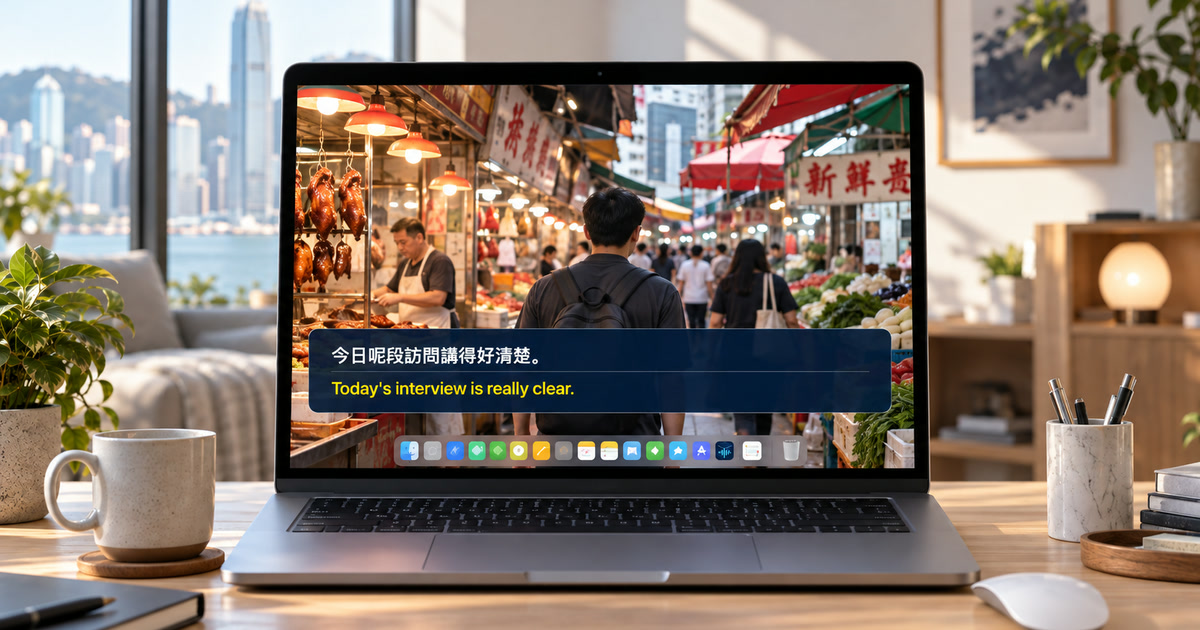
Cantonese is a distinct setup question
A Cantonese speaker is not simply a Mandarin setting with different subtitles. Cantonese is a separate spoken-language choice in Alison's recognition catalog, and its vocabulary, pronunciation, code switching, and written conventions make an explicit selection important. The English translation target is a second check. Alison can show whether the language resources available on a particular Mac support the chosen workflow; do not promise a Cantonese-to-English pair before checking it in the app on the Mac that will be used.
Separate speech from on-screen Chinese writing
This workflow is for spoken Cantonese from a video, livestream, call, radio programme, or browser player that plays through the Mac. It does not translate Traditional Chinese captions already rendered inside the image, comments in a chat, or silent title cards. First inspect the player for creator-provided captions or English translation; an official or reviewed track is usually the best option. Use live recognition and translation when there is no useful readable track and you need personal comprehension while listening.
Confirm the pair before the live event
Start with a permitted sample where the same type of speaker and audio route are present. Choose Cantonese as the recognition language and English as the translation target, then make sure the resources complete their initial download. Recognition and translation are separate settings. Translation availability is determined by Apple Translation resources on the user's Mac and can change with macOS, region, and installed languages. A green download from one setting does not prove that the full pair is ready.
Test names, particles, numbers, and code switching
A one-minute test should include a name, price, date, place, and a sentence containing a negative or contrast. Cantonese conversations often move between Cantonese, English names, numbers, and other varieties of Chinese. Keep original and English visible together. If an English brand name is misheard in the source line, correct interpretation requires the surrounding topic or an official reference; do not treat the English sentence alone as evidence.
Choose the clearest available audio
Play the permitted source on the Mac and let Alison access system playback. Test the headphones or display route actually used for the session, and silence notifications, other tabs, and background players. Phone-like audio, music under speech, crowd responses, layered hosts, and rapid conversational turn taking are difficult inputs. A clean recording or a webcast with a single presenter will normally be easier than a noisy variety programme or a stream with multiple guests.
Use this as a reading aid, not a language claim
A floating bilingual panel can help a learner follow a presenter, a family member's public broadcast, a course, or a permitted work presentation. It does not replace a human interpreter, create legal translation, or speak English to the other person. It neither joins a meeting as a bot nor processes your outgoing microphone voice in the current playback workflow. For an official conversation, an accessibility accommodation, or a sensitive interpretation need, follow the provider's and organization's approved process.
Keep privacy and permissions in view
Once resources are ready, Alison's supported capture, recognition, and translation happen on the Mac. It does not store raw audio or screen frames; local text history is kept until deleted. Content ownership, recording rules, consent, and confidentiality still govern what you may retain or share. Capturing accessible Mac playback is not a way to bypass protected-media controls or access audio that is not being played to the Mac.
Diagnose the point of failure
If no source line appears, check the Mac playback route, audio permission, active output device, and Cantonese recognition resource. If source appears but English does not, confirm the target and installed translation resource. If text is consistently Mandarin-like or nonsensical, recheck the spoken-language selection rather than changing the translation target. For mixed-language audio, test a single-speaker clip first. Replay consequential passages and use reviewed captions or official documents to settle important details.
Official sources checked September 27, 2026
YouTube Help — Use automatic captioning
Apple Support — Get captions of spoken and computer audio on Mac
Frequently asked questions
Does this change the platform's captions for everyone?
No. Alison is a personal floating caption layer for accessible Mac playback. It does not change the platform's caption track or send captions to other viewers.
Do I need a meeting bot, browser extension, or microphone permission?
No. The current playback workflow reads accessible audio already playing on the Mac; it does not join calls as a bot or use your outgoing microphone speech.
What Mac is required?
Use macOS 15 or later on an Apple-silicon Mac from M1. Intel Macs are not supported.
Can I trust every translated line?
No. Verify names, figures, dates, negative statements, and consequential information against the original audio and authoritative materials.
Does local processing mean I can ignore the source's rules?
No. Copyright, confidentiality, consent, recording, and platform rules still control what you may play, retain, or share.
What should I check first if captions do not appear?
Check audible Mac playback, system-audio permission, the selected output route, and readiness of recognition and translation resources.